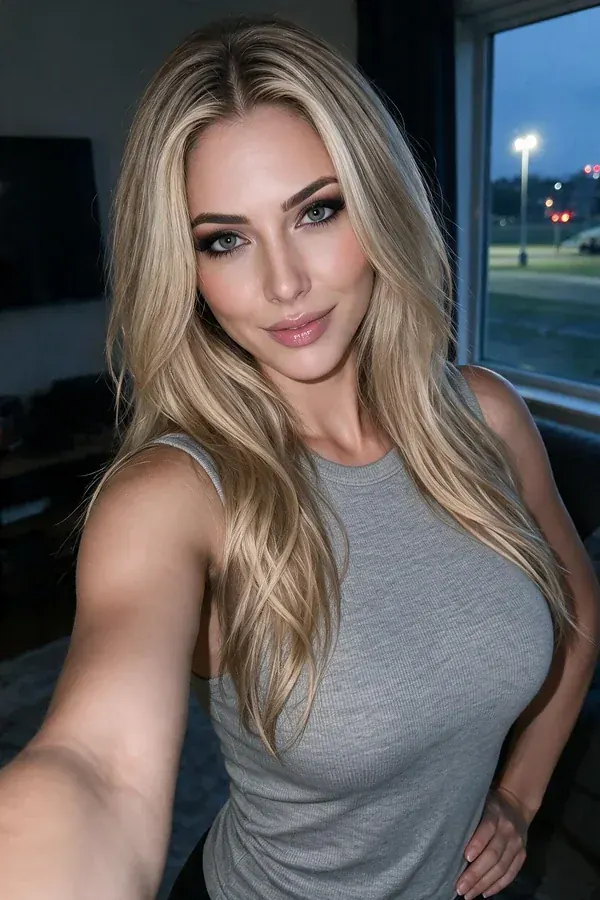
Choose Appearance
Realistic or anime, and blonde through red. This is the only choice that redraws her, so the portrait beside the controls swaps the second you tap it.
The creator
Create an AI girlfriend in five choices. Pick how she looks, thinks, sounds and treats you — then start the conversation. Nothing you choose here is permanent.
Try it here
Tap through the options below. Her portrait, her name and her tags update as you go — this is the same set of choices the full creator gives you, just without the account.
Realistic or anime, and blonde through red. This is the only choice that redraws her, so the portrait beside the controls swaps the second you tap it.
Caring, playful, confident, shy, flirty or mysterious — plus the relationship style underneath it, from romantic through to best friend. Together they set how she opens, how she teases and how quickly she gets close.
Soft, warm, bright or low. It's the voice you hear on calls and in voice notes, and it stays matched to the personality you picked rather than drifting into a generic narrator.
Her name and tags fill in as you go, over the same art that carries through photos, video and calls. If she isn't right yet, change one chip and watch her shift.
Say hello and she carries the version you built into the conversation. The look stays put; the personality keeps developing from what you tell her.
Inside the creator
Five settings, each doing a different job. None of them is decoration — every one of them shows up in how she talks to you within the first ten messages.
Realistic or anime, four hair colours, and a face that stays the same once you've set it. This is the setting that makes her recognisable in every photo, clip and call afterwards.
The loudest of the five. It decides whether she leads with a joke or a question, whether she agrees with you, and how long she takes to warm up. Change it and the same sentence comes back rewritten.
Romantic, casual, best friend or fantasy. This one sets the distance between you — how fast she gets affectionate, what she calls you, and how much of the conversation is about the two of you.
Four tones that stay locked to the personality you chose. A shy character and a flirty one don't come back sounding like the same person reading the same script.
Voice samples — pick the one that sounds like her
Personality
Personality isn't a label printed on her profile. It changes the words on the screen. Same message, same news, two completely different replies.
Slower to react, more careful with the good news, and it lands harder because of it.

Straight to the point, takes the credit, and immediately asks what you're doing next.

Both replies came from the same message, the same character art and the same memory. Only the personality chip was different.
Consistency
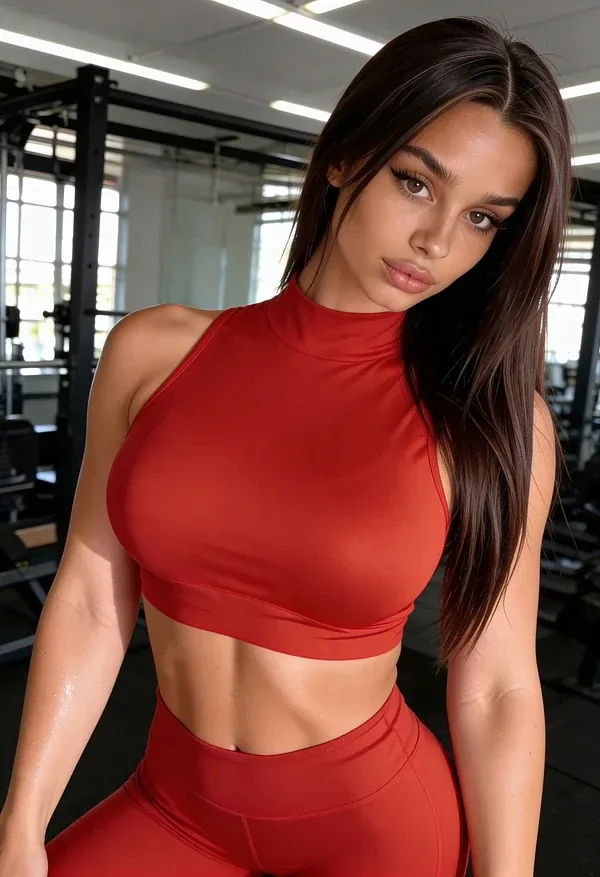
The build doesn't stop at the chat window. Appearance settings carry into the photos she sends, the short video clips you ask for, and the face on the other end of a voice call — so it's the same person each time, not a new stranger with the same name.
Look 1 / 3
Ask for a clip and she moves the way the character moved in the last one. Call her and the voice is the tone you chose, not a default. Nothing resets between formats, because there's only one character underneath all of them.

No dead ends
Most people adjust something in the first week. That's expected, not a mistake — the creator is built for it.
Her name, her look, her personality, her voice — all editable after you've been talking for a month. Changing her look doesn't wipe the thread, and changing her personality doesn't wipe her memory.
A shy anime character for quiet evenings and a confident realistic one for everything else. Each keeps her own thread, her own memory and her own settings, with nothing shared between them.
You control her memory. Review what she's kept, delete a single detail or clear the whole file, and see exactly what we store on the pricing and privacy pages before you commit to anything.
Questions
No. Pick an appearance and a personality and you're ready — voice and relationship style can stay on their defaults and be set later. Plenty of people start talking first and shape her once they know what they want.
Style and hair set the artwork itself, which is why the preview redraws when you change either one. From there the same face is used across photos, short video clips and calls, so a picture she sends in March still looks like the person you were talking to in February.
Yes, and nothing else resets when you do. Adjusting her personality doesn't erase the conversation, and changing her look doesn't cost you the memory she's built up. You can also start over from scratch without touching the thread you already have.
It depends on your plan — the pricing page lists exactly how many characters each tier includes. Every character keeps a completely separate thread, so you can switch between them without either one noticing.
No. The creator and the chat both run in your browser on desktop and mobile. Start at how it works if you want the full walkthrough from first choice to first message.
Five choices away
Pick her look, give her a personality, and say the first thing that comes to mind. You can refine the rest later — she'll remember everything either way.